YouCam Makeup: Face Editor
Perfect Mobile Corp.Photography
4.090.77K Reviews
- Version
- Varies With Device
- Installs
- 100.00M
- Age Rating
- Everyone
Screenshots
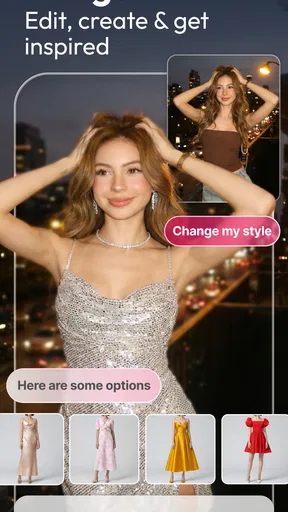
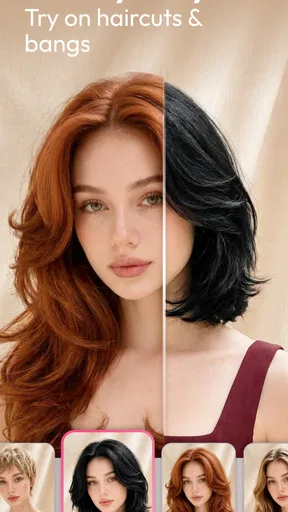
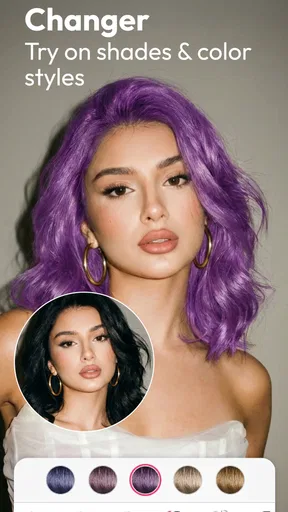
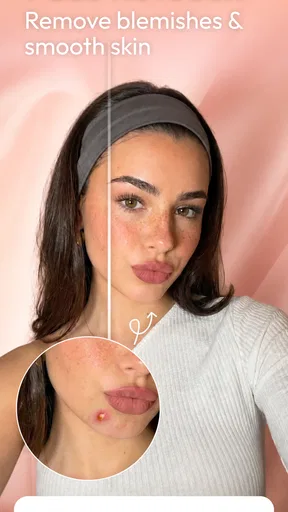
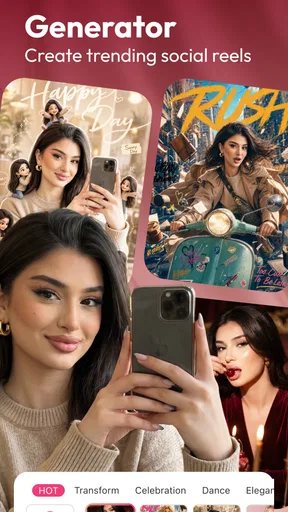
Our Review of YouCam Makeup: Face Editor
 Analysis by Appyee
When a phone gets passed around at home, a photo app can quickly become more than one person’s toy. I’d treat YouCam Makeup - Selfie Editor as a personal editing space, even if everyone uses the same device: saved portraits, recent images and preferred looks can feel private. Agreeing to ask before opening or changing someone else’s photos is a simple boundary that avoids awkward surprises.
Sharing a phone without sharing every photo
In a realistic household routine, one person might use the camera to test a look before dinner, while another later wants the phone to take an ordinary family picture. That works best when each person chooses their own image and checks the result before saving or sharing it. I would not assume that a shared device automatically keeps edits or photo choices separate, so a quick handoff conversation matters more than any editing tool.
The app is most appealing to people who enjoy trying makeup styles, adjusting a portrait, or previewing a possible hair color without making a real-world change. It is less suited to someone who wants a simple camera with no beauty effects, or a quick batch editor for a large set of pictures. For those jobs, the phone’s built-in photo tools are usually the more direct choice.
Set expectations before editing
Makeup filters can be playful, but they can also alter a face enough to change the mood of a photo. I find it useful to decide what the image is for before editing: a private experiment can be as dramatic as you like, while a profile picture for work or a family photo may call for a lighter hand. Keeping an untouched original, when the app’s workflow allows it, also gives you a clean point of comparison; check the save options rather than assuming every edit is reversible.
That distinction is especially helpful when several people take turns. Ask before applying an effect to someone else’s portrait, and let the person in the photo decide whether the finished version should be shared. Editing a picture is easy; agreeing on where it goes is the part worth slowing down for.
Who it suits, and what to weigh
I’d recommend this photography app to curious selfie-takers who want more than a basic brightness or crop adjustment. Its appeal is the chance to test specific beauty choices on a face—rather than applying one general filter and hoping it works. But if your priority is faithful color correction, landscape editing, or managing a large photo library, a conventional editor will usually be a better fit.
There is also a difference between exploring a look and expecting a perfect preview. Lighting, camera angle and the way hair falls can affect how a digital change reads. I use virtual hair color as inspiration, not as a reliable prediction of a salon result. A subtle adjustment can help me compare options; a strong filter is better treated as play than as a promise.
Features That Stand Out
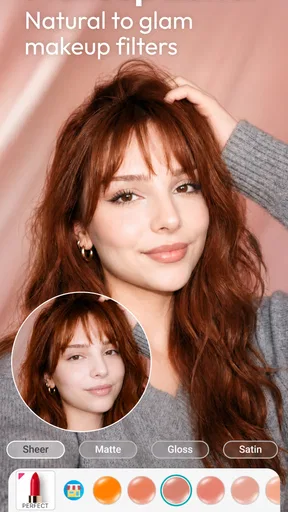
Let’s talk about the features that make this app a must-have for selfie enthusiasts. First off, the real-time makeup application is pretty impressive. You can try on different looks before you even snap a picture. It's like having a makeup artist in your pocket. Whether you're going for a subtle day look or something more glamorous for a night out, the options are nearly endless.
Now, the skin smoothing tool is another highlight. It lets you adjust the intensity, ensuring that you look flawless without going overboard. You know, when you want that perfect balance between "I woke up like this" and "I spent hours getting ready," this feature has got your back.
Customization and Creativity
One of the things I love about YouCam Makeup is the level of customization it offers. You can tweak everything from lip color to eye shadow, and even change your hair color. Yes, you heard that right! Ever wondered how you’d look as a redhead? Or maybe you’re considering going blonde? This app lets you experiment without any commitment.
There's also an option to add accessories like glasses or hats to your selfies. This is where your creativity can really shine. Mix and match different styles until you find something that suits your personality.
A More Deliberate Editing Workflow
For a cleaner result, I’d start with one change at a time. Try a lip shade first, then compare it with the unedited image before adding eye makeup or smoothing. When several effects are stacked together, it becomes harder to tell which adjustment improved the portrait and which one made it look less like you. This small habit is especially useful if you are choosing a profile photo: subtle edits tend to survive different screens and lighting better than a full makeover.
Hair-color previews are most useful as a way to narrow down your preferences, not to settle a major decision on their own. I’d test a couple of shades in the same photo, with similar lighting, and look for the general direction that appeals to me. If the result feels convincing only after adding several other effects, I would not treat it as strong evidence that the color itself suits me.
The User Experience
Using the app is pretty straightforward. The interface is user-friendly, and you won’t find yourself lost in a maze of options. Everything is laid out intuitively, so even if you’re not tech-savvy, you’ll have no trouble navigating through the app. The real-time camera makes it easy to apply makeup directly to your face on the screen, and the results are surprisingly accurate.
Another thing to note is the app’s performance. It runs smoothly on both Android and iOS, without any noticeable lag. Plus, it's lightweight, so it won't gobble up your storage space.
Free to Try, With a Paid Layer
The app is free to download, which makes it easy to explore before deciding whether its editing style suits you. Some in-app purchases range from $0.69 to $119.99 per item, so I’d pay attention to what is included before confirming any purchase, particularly if other people use the same phone. For a household, the practical rule is straightforward: the person who owns the device should decide whether purchases are allowed, and everyone else should ask first.
Perfect Mobile Corp. has built a long-running photography app: it was released on August 7, 2014, and its reach is reflected in over 100 million installs. It has an average rating of 4.1 from around 4.1 million ratings, alongside roughly 91,000 written reviews. Those figures suggest broad interest, but they cannot tell me whether its beauty effects match my taste; the best test is still trying a few edits on a photo I’m comfortable experimenting with.
Coordination and Age Context
Because the content rating is Everyone, the app may be appropriate to consider for a broad range of ages, but that label does not replace a household’s own judgment. I’d show a younger user how to keep an edit private, ask before changing another person’s picture, and check with an adult before sharing an image or making a purchase. These are useful habits for any photo app, especially one that makes dramatic changes quick and easy.
For shared use, agree on a simple sequence: take or choose your own picture, make edits, review the finished image, and then decide whether to save or share it. If someone else is waiting for the phone, tell them when you are done rather than leaving an unfinished edit open. That small bit of coordination helps keep personal experiments separate from family photos and avoids accidental posting or purchases.
Community and Sharing
What's a good selfie if you can't show it off, right? The app makes it easy to share your creations directly to social media platforms like Instagram and Facebook. You can also join the YouCam community to see what others are creating and get inspired by new trends and styles.
The app also hosts various challenges and events, encouraging users to participate and showcase their makeup skills. It's a fun way to engage with other users and get feedback on your looks.
Compared with the standard editor that comes with a phone, this app is more focused on experimenting with facial makeup and appearance than on broad photo corrections. That focus is its advantage when I want to compare cosmetics or play with a hairstyle; it is also why I would not choose it as my only editing tool. For cropping, exposure, or a restrained adjustment to a whole image, a conventional editor is less specialized and often faster. For an elaborate portrait retouch, a dedicated retouching app may offer a more controlled workflow.
Final Thoughts
So, is YouCam Makeup - Selfie Editor worth the download? Absolutely. It's a fantastic tool for anyone who loves experimenting with makeup or just wants to enhance their selfies. With its extensive range of features and easy-to-use interface, it's a great addition to your app collection.
Whether you're a makeup newbie or a seasoned beauty guru, this app has something for everyone. So go ahead, give it a try, and let your creativity run wild. Download it and see for yourself how much fun you can have with just a few taps!
My household verdict is positive with a few sensible boundaries: it is an enjoyable choice for adults and older children who understand how edited portraits differ from everyday appearance, and who can use it with care on a shared phone. I’d skip it for someone who dislikes beauty filters, needs dependable professional retouching, or wants a no-purchase, no-sharing photo workflow. Used as a creative try-on space rather than a measure of how anyone should look, it is easy to recommend.
Verdict
Strengths of YouCam Makeup: Face Editor
- User-friendly interface for quick edits
- Wide range of makeup tools available
- Realistic AR effects enhance selfies
- Frequent updates with new features
- Virtual try-ons for beauty products
Limitations of YouCam Makeup: Face Editor
- Contains in-app purchases
- Heavy on device resources
- Requires internet for full features
- Ads can be intrusive
- Some tools need premium access
Other Releases by Perfect Mobile Corp.
View All
YouCam Perfect - Photo Editor
Photography3.9

YouCam Video: AI Video Editor
Video Players & Editors3.8
Similar Picks in This Category
View All
Google Photos
Google LLC4.4

Gallery
Google LLC4.2

Picsart AI Photo Editor, Video
PicsArt, Inc.3.9

B612 AI Photo&Video Editor
SNOW Corporation4.1

BeautyPlus-Selfie Photo Editor
PIXOCIAL TECHNOLOGY (SINGAPORE) PTE. LTD.4.5

Remini - AI Photo Enhancer
Bending Spoons4.1
You May Also Like
View All


Frequently Asked Questions
What features does YouCam Makeup offer for photo editing?
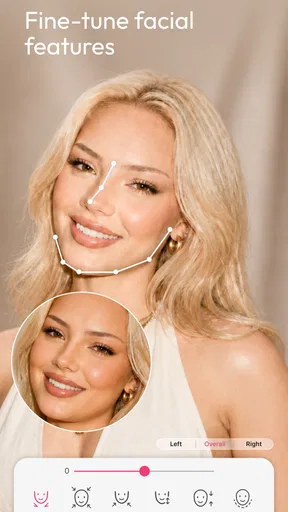
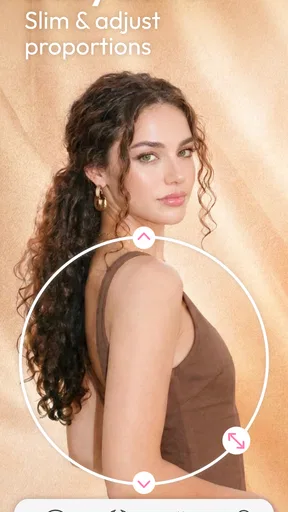
YouCam Makeup provides a wide array of photo editing features, including virtual makeup applications, skin smoothing, face reshaping, and hair color changes. Users can try out different looks with the live makeup camera and apply various makeup styles to see which ones suit them best before capturing a photo.
Is YouCam Makeup free to use, or does it require a subscription?
YouCam Makeup offers a free version with basic features, but there are also premium options available through a subscription. The premium version unlocks additional features such as exclusive content, more detailed makeup looks, and advanced beauty tools. Users can choose a monthly or yearly subscription plan based on their needs.
Can YouCam Makeup be used for real-time video makeup application?
Yes, YouCam Makeup includes a live makeup feature that allows users to apply virtual makeup in real time. This is particularly useful for video calls or live streaming, as users can enhance their appearance on-the-go with a variety of customizable makeup options, ensuring they always look their best.
How does YouCam Makeup ensure user data privacy and security?
YouCam Makeup is committed to user privacy and security. The app adheres to strict data protection policies, ensuring that personal information and photos are not shared without consent. Users can review the app’s privacy policy to understand how their data is handled and what measures are in place to protect it.
Does YouCam Makeup support a wide range of devices and operating systems?
YouCam Makeup is available for both Android and iOS devices, supporting a wide range of smartphones and tablets. The app is designed to be compatible with most modern devices, ensuring a smooth and seamless user experience. Regular updates are provided to support new devices and improve functionality.
